

Creating Facebook ads can be an exciting experience, especially if you’re looking to gain exposure for your products and services. The trick, however, is to know what types of ads work best.
Slideshow ads
Unlike a traditional video ad, slideshow ads are easier to create, and they are more affordable. The ad format can be customized to include images, videos, and custom text. It uses five times less data than a video ad. The ad is able to play on slow Internet connections, and it is compatible with older devices.
To create a slideshow ad, go to Ads Manager. Upload the images you want to include in the ad and select the type of ad you would like. You can choose between single image, carousel, or slideshow. You can customize your ad by adding stickers and text overlays. You can use up to ten images in a slideshow ad. You can also choose to add music to your images. However, you must have legal rights to the audio you use. You cannot use downloaded music or audio from a video.
If you’re creating a slideshow ad for a higher-priced product, you may need more images. For example, if you’re selling a pair of eyewear, you may want to include images of your product’s style, quality, and features. You can use images from your own collection, or you can choose from a free stock image collection. The images you choose should be high quality and should be in a high resolution.
Slideshow ads are a great way to promote your product or service. This type of ad can showcase product demonstrations, highlight benefits of a product or service, or introduce steps to using a product. The ad can also show a brand story, or tell a specific story about the brand. You can add text overlays, stickers, or music to your slideshow ad to make it more interesting.
Slideshow ads are also great for ecommerce. You can use the ad format as a carousel ad, or you can use it to retarget shoppers. Slideshows are perfect for ecommerce because they can include multiple aspects of a product. You can show different kinds of products, such as one-of-a-kind products or re-branded versions of a product. You can also show lifestyle shots of a product being used.
Slideshow ads are a great stepping stone for those who have never created a video ad. They are also a great way to get a lot of people to watch your ad, and they are easier to create than videos. Slideshow ads are also very affordable, and they play well on any Internet connection. You can use them to target audiences in markets with limited Internet access.
If you want to create a slideshow ad for your business, you can start by creating a storyboard. A storyboard is a rough sketch of the ad, and it can be made online or on paper. This helps you plan the layout of your slideshow. You can also create a slideshow from a still image, using Facebook’s “Create Slideshow” tool.
Instant Experiences
Whether you are an e-commerce store or a B2C brand, Instant Experiences are a great way to engage and engage with your target audience. However, before you can begin, you will need to choose your goal and set up your ad campaign. You can choose from one of three pre-built templates, or create your own custom Instant Experience. You will also need to select your budget and placement. You can use third-party pixels to track the performance of your campaign, allowing you to compare your results to other advertisers.
The most important part of an Instant Experience is the cover image. You can choose between a variety of sizes, from 3240 pixels to 5400 pixels. The quality of the image will determine how successful your ad will be. To ensure the best results, ensure your image is consistent in quality and format.
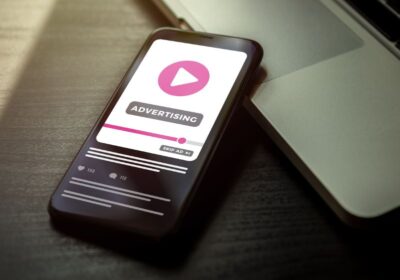 A video is a good addition to an Instant Experience, but keep in mind that the average video view time is a bit lower than the average Instant Experience ad view time. You should also keep in mind that videos can only be up to two minutes long. It is also a good idea to mix video and static images in your ad campaign. This is especially true when you are promoting a new product.
For an instant experience to be effective, you need to include a variety of different elements. For example, you can use a carousel, videos, interactive elements, forms, and photos. The key is to make the ad compelling and engaging. The more interesting elements, the longer the user will spend viewing your ad. You can also include links to your website and Facebook store catalog. This is one of the best ways to drive clicks to your site.
Creating an Instant Experience is not as complicated as it may sound. It requires a little more work than a traditional ad, but it will help you achieve your goal. However, if you are a beginner, you may want to stick to a simpler ad format. For example, you can create a basic ad with a photo and a text overlay, but it will take you more work than an Instant Experience ad. You can also use Instant Experiences with other types of ads, like videos or mobile web applications.
If you are still confused about how to create an Instant Experience, you may want to consider using one of the pre-built templates. These templates are designed to help you get started quickly. The templates can help you determine what components are best for your brand and what type of layout is best for your campaign.
You will also want to make sure that you follow Facebook’s guidelines for creating an Instant Experience. For example, you should use at least five components. You can also reuse the same experience in the future.
Website conversion ads
Whether you’re new to Facebook advertising or you’re an old pro, it’s a good idea to keep in mind that the platform offers a lot of different ad formats. This includes engagement ads, video ads, and ad types for both websites and mobile devices. However, if you’re looking to increase your conversion rates, there are a few Facebook ad formats that you may want to take a closer look at. The Facebook ad guide is a great resource for this.
When it comes to Facebook ads, you can create ad campaigns that are targeted to reach specific demographics or interests. This includes targeting your ad to people who have previously interacted with your website or purchased your products. However, these types of ads will typically cost more.
To achieve the best results, you’ll want to take the time to analyze your target audience. For example, if you’re a clothing retailer, you may want to target customers who have visited your site recently. This will enable you to boost your conversion rate by putting your ads in front of people who have demonstrated an interest in your products.
You’ll also want to consider the ad’s functionality. You can optimize your ad to increase the number of clicks on your ad by adjusting the ad’s bid. The cost of a click on your ad can vary from $0.05 to $4.50, depending on the level of competition. However, the cost of a click can be less if you know where to look.
Another option is to take advantage of Facebook’s remarketing capability. Remarketing is especially effective for certain industries, like travel and hospitality. You can use Facebook’s pixel data to reach people who have previously shown interest in your products. However, this may be a less than ideal option if your website is poorly optimized for generating leads.
If you’re looking to drive sales, you’ll also want to consider dynamic ad formats. These are more targeted than static ads, and you may see a higher return on ad spend in the long run. You can create these ads by selecting the “Get More Website Visitors” option in the Promote menu. The Farmer’s Dog used this method to boost conversions by 23%.
Facebook ads are also available in a variety of formats, ranging from a simple image with text to an immersive full-screen interactive experience. The Facebook ad guide has all of the information you need to know about each ad format. From there, you’ll want to tailor your ad strategy to suit your needs. This will include things like the ad’s text, ad copy, and the best way to optimize the ad.
Facebook’s advertising platform also allows you to customize your ad components and ad bidding strategy. The Conversions API can be used to track conversions more accurately. You can also opt for a bid cap, which limits the amount you’re willing to spend for an ad.
All-In-One SEO Tool
Get Web Hosting
Learn Online Business


